Mini Golf Club is a free multiplayer mini golf game that runs in your browser. Set up a private game, send your friends a link, and a few clicks later you're all putting on the same course. Nobody needs to download anything or make an account, so even the friend who "doesn't really play games" can jump in.
How to Play Golf with Friends
- Create a private game: Start a Private game and choose the holes you want to play.
- Send the invite link: Click Invite and drop the link in your group chat, Discord or wherever your friends are. Every game has its own room code built into the link, so it leads straight to your game.
- Friends click Join: When they open the link, an invite popup appears. One click on Join and they're in.
- Play: Everyone plays the same holes, and the lowest total score at the end wins.
A private game holds up to 10 players, which is enough for a family get-together, a team break at work or your whole friend group on a Friday night.
Private Games or Play Online?
Mini Golf Club has two multiplayer modes, and the right one depends on who you're playing with.
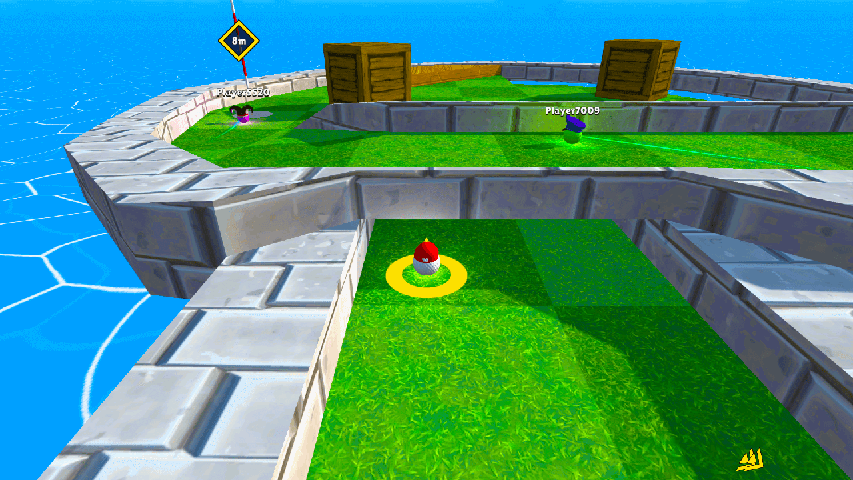
- Private Games: Invite-only games for up to 10 players. You pick the holes and play at your own pace with people you know.
- Play Online: No friends around? Jump into a quick 3-hole match with up to 6 players from your region. Fewest strokes wins, and if two players tie, the faster one takes it.
If a Friend Can't Join
- Same server region: The game picks the closest region automatically, but you can switch between USA, Europe, Asia, South America and South Africa. Everyone has to be on the same one.
- Same game version: If the game was updated while someone had it open, they may be on an older version. Refreshing the page loads the latest one.
- The full link: The room code and hole list are part of the invite link, so a link that got cut off in a message won't work. Copy it again from the Invite button.
- Room for one more: A private game is full at 10 players.
Controls
- Mouse: Drag the ball with the left mouse button to aim, release to shoot. Drag anywhere else to look around and scroll to zoom.
- Keyboard: Aim with the arrow or WASD keys and press Space to shoot. C switches camera mode, plus and minus zoom in and out.
- Touch: Drag the ball to aim, release to shoot.
More Ways to Play
Between games with friends, you can work through hundreds of solo courses in Career mode or try the Daily Hole, a new hole every day that everyone plays. It's all part of the free Mini Golf Club game.
Frequently Asked Questions
-
How do I play mini golf with friends online?
Start a Private game, click Invite and send the link to your friends. When they open it, they click Join on the invite popup and land in your game.
-
How many friends can play together?
A private game holds up to 10 players. Public Play Online matches have up to 6.
-
Is it free to play golf with friends?
Yes. Mini Golf Club is free for everyone, including the friends you invite. Nobody needs to download anything or create an account.
-
Can friends on phones and computers play together?
Yes. The game runs in any modern browser on desktop, tablet or mobile, so one friend can play on a laptop and another on a phone in the same game.
-
Can I play multiplayer without inviting anyone?
Yes. Play Online puts you in quick 3-hole matches with up to 6 players from your region, no invite needed.